QRPp WSPR and FSKCW tests on 40m using the U3

I recently built the QRP-Labs LPF switching board plus a couple of extra filters for 80m and 40m. I’d had these kits gathering dust for probably 12 months plus. Other projects had taken priority and I’d not really run any QRSS tests for a very long time. The New Years 24 hour QRSS event got me looking at the U3 again.

The new board and filters plus firmware upgrade (new chip) all went well and the U3 was soon running again. The U3 with its ~200mW to my very old, not very high, W3DZZ trapped dipole was actually making it across the pond!

2017-01-19_2020_u3_40m_wspr

U3 running ~200mW to a W3DZZ


Yesterday I decided that it would be good to make it a bit more of a challenge. So many people seem to be be going up in power, so let’s see what dropping down to ~20mW can do. I happened to have a spare BNC in-line 10dB attenuator available, so this meant simply unplugging the antenna and inserting the attenuator. We were then all set to go, with an easy route back to QRO if needed.  🙂

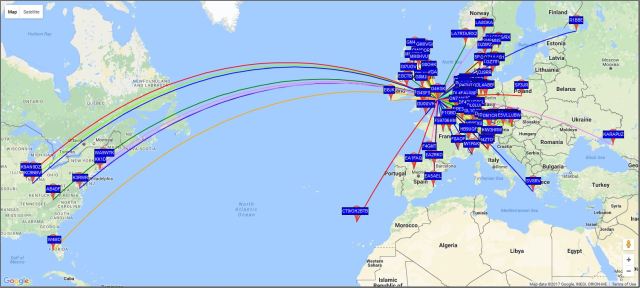
The results over the last 24 hours have been surprising. My beacon hasn’t made it across the pond (yet) but the best so far has been a -28dB report from RK3LC in KO64at. That’s a distance of just over 2108km… not too bad for ~20mW!  🙂

2017-01-22_1815_first_24h_u3_40m_20mw_wspr

U3 running ~20mW to a W3DZZ


2017-01-21_odx_u3_40m_20mw_wspr

Maybe I will add an extra 3dB attenuator next…    😉

Posted in Blog, QRSS / WSPR / QRP | Leave a comment

Constructing another K3NG Rotator Controller

I recently spent a day helping a friend setup his new rotator and single 8 element yagi for EME operation. The weather was kind to us and after a few hours work we had everything aligned as best we could.  This exercise brought back memories of when I first started on EME and one thing that struck me was realising again how tricky it can be at times to position the antenna based on the standard Azimuth (AZ) and Elevation (EL) meters in the Yaesu G-5500 controller. Each division on the AZ and EL meters is 15 and 7.5 degrees respectively. Now it’s not as if we’re working with a large dish, so we don’t need to be super accurate, but at the same time we do want as much of our RF to be reflecting back off the Moon as possible, so we don’t want to be pointing off. When you’re a small EME station every little bit of a dB is key to making that QSO possible.

I’d been gathering  parts to build another K3NG rotator controller but this time to work with a Yaesu G-650C rotator that  will replace the very old G-400 currently used on my VHF / UHF terrestrial system. So I decided that if I was going to make one, then I may as well make two units while I’m at it!

What follows next is a series of photos and notes that detail my approach to the first of the two units and more importantly what I learnt on the way. Things have changed since I built my original one!

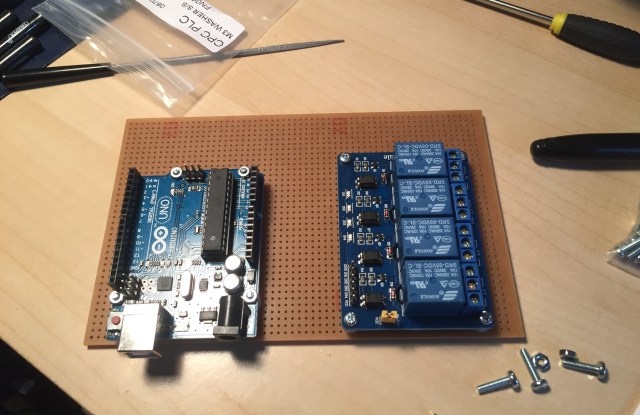
I decided to use a sheet of copper strip board and mount or solder the other components and modules on it. The photo below shows the approach adopted.

photo-09-10-2016-14-30-33

Unlike the G-5500 rotator the G-650C does not use relays in the control unit to switch the power to the rotator motor. So the new unit would have to include relays. I chose to use one of the readily available 4 port relay modules. In practice the G-650C really only needs 2 relays (for CW and CCW) but I decided to go for 4 so that the new unit could be used with different rotators if needed.

The board and LCD display would be housed in a standard Hammond / Eddystone die-cast box. This type of enclosure tends to house the majority of my projects   🙂

The following photos give an idea of the stages of construction and the finished item.

This slideshow requires JavaScript.

Once the construction was completed I made up the interconnecting lead that goes between the K3NG controller and the G-5500 controller. Here I used an 8-pin microphone plug and socket on one end and the standard 8-pin Din plug on the other end. When I eventually come to make the simple modification to the G-650C controller to interface with the K3NG controller I will fit the same 8-pin Din socket.

With the hardware completed I envisaged that it would be a simple case of downloading the latest K3NG Arduino (software) sketch and we’d be ready to run the calibration and be all set to go… wrong!

Now it’s about 4 years since I built my first K3NG controller and it has worked flawlessly. As a result, I’ve paid little attention to all the enhancements that Anthony and others have made to the very early sketch that I originally used. So here I am with new hardware (that now also includes a relay board) and the latest sketch. This all led to a number of lessons being learnt, none of them major but they all had an impact on the overall project.

The first lesson was that there are now so many excellent features available in the software that this has resulted in the Arduino UNO being a little on the small side memory-wise. In fact with just the basic features enabled the Arduino IDE gives a warning when uploading the sketch. I believe the recommendation now is to maybe use an Arduino Mega. As I didn’t need all the latest bells and whistles I decided to use a much earlier (and smaller) version of the software.

When running through the calibration process I realised that my G-5500 rotator doesn’t actually do a full 450 degrees AZ rotation; it stops short at 445. This is not a major issue, in fact it proved to be a very useful thing because it helped me discover the workings of the sketch and  EEPROM memory that’s used in an Arduino. It would seem that making a change to the value on “#define AZIMUTH_ROTATION_CAPABILITY_DEFAULT 450” (this value is stored in EEPROM) and uploading the changed sketch does not change what is stored in EEPROM memory unless it’s the first time you’re uploading to a new Arduino or the EEPROM has been reset. I discovered this when running the Serial Monitor tool and debug (\d). Now the values stored in EEPROM should not really need to be changed once you have set them correctly, but if you make a mistake or need to change them, maybe to use with another rotator then this is important to know.

My next lesson was all to do with the “new” relay board. I was having problems with the rotator always stopping approximately 7 degrees off the target heading. I would set the antennas to rotate to say 180 degrees, and they would stop at 174. This would happen if I set the heading using the Serial Monitor or PstRotator. I had never experienced this with the original controller. I was using the same rotator, cabling and calibration method so I put it down to something different in the later version of the sketch. After spending time working my way through the code I decided that it wasn’t software related. Unfortunately I couldn’t upload my original sketch as I’m embarrassed to say that it was “lost” during one of many PC changes over the years, although I’m certain it’s on some backup media somewhere! Finally the penny dropped! When doing the calibration routine none of the relays were energised. When the rotator was rotating to a target heading one of the relays was energised and the current drawn (~25mA) by that relay was causing a very small voltage drop which in turn caused the ~7 degree error. This meant that the relay board could not be powered off the 5V pin on the Arduino. To resolve this I decided to power the relay board from the Yaesu controller which fortunately provides ~16VDC on the interface connection. The addition of a simple 5V regulator overcame the problem. Now everything tracks as it should   🙂

Here’s a photo of the finished unit, with the 5V regulator.

img_1964

For my third (and for now final) version I’ve adopted a very simple approach to the construction. The LCD display is a nice-to-have feature but not really necessary, especially if the controller is used with PstRotator as all the display information is still available. PstRotator will show where the antennas are rotating to and where they are at any point, plus a whole host of other useful information. Not having the LCD display also means that the boxing up of the unit is so much easier as the enclosure doesn’t need the large rectangular cut-out   🙂

Here’s a photo showing just how basic the controller board can be:

img_2026

K3NG controller – simple construction method

Once again copper strip board is used but the Arduino is attached to the board using single row 2.54 mm header strip.

For completeness I did add the four extra header pins so that an I2C LCD display could be added at some point in the future without having to re-work the board.

This board will soon bee in use at another EME station. What sort of enclosure it will end up in remains to be seen. Maybe its new owner will simply use a plastic container just as I did initially with my first controller…   🙂

These are my experiences; I hope they prove useful to others.

Posted in Arduino, Blog, EME | Leave a comment

TrakBox with MAP65 and LP_Bridge

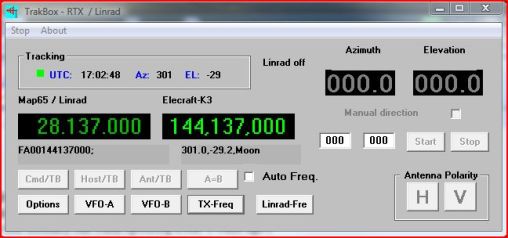
2016-05-02 TrakBox

Since I started running MAP65 it has always been run on a separate laptop along with Linrad. This was primarily due to the amount of monitor “real-estate” that was needed for all the various programs that normally run when operating EME. A while ago I added an additional 24” monitor so space is now less of a challenge although I think desktop space is a little like desk drawers. It doesn’t matter how many drawers you have you will fill them!   🙂

MAP65 made an enormous difference to my EME working capabilities. Living on the edge of a housing development with a relatively small antenna system and a high (electrical) noise floor MAP65 shows me what my system can “see” and decode. I no longer have to first check LiveCQ or the N0UK to see who is active, and then tune to the frequency and wait.

MAP65 (working with Linrad and the FCDPP) displays around a 60KHz “window” which is absolutely great. With all this visibility I found that at times I needed to quickly tune the K3 from one end of the “window” to other so as to catch a new station. The K3 is setup to work with WSJT so not only was I having to tune maybe up to 60KHz,  I was also having to enter the callsign, perhaps also add it to the Call3.txt file first, generate the messages, set the correct period and then transmit. Now in the grand scheme of things that doesn’t really seem that onerous but at say 02:30AM when you’ve been on the radio for many hours, you’re tired, mistakes can happen when you’re trying to do all that in < 8 seconds. Now wouldn’t it be great if this could all be simplified?

After a little research I came across TrakBox by IK7EZN. From my initial read through of the online documentation it seemed that it would do exactly what I wanted. My only slight reservation was that some comments I read suggested that it needed a dedicated serial connection to the K3. I also found wiring diagrams of special 2 to 1 serial cables to enable the CAT and PTT communications to work. If my understanding of this was correct then that would be a problem as the (one) physical serial connection between the K3 and PC was the primary connection used for LP_Bridge and that program enabled all my other software to communicate (CAT, PTT etc) with the K3.

I downloaded TrakBox and ran the installation which was seamless, and then proceeded to configure the radio and serial port settings. LP_Bridge had COM14 (Virtual port) spare so I selected that from the pull down list in TrakBox, set the 8N1, speed and radio settings plus the location of the MAP65 AzEl file. Once these values were saved I started TrakBox. Unfortunately when the TX-Freq button was pressed it wouldn’t communicate with the K3 and set the frequency. To test the dedicated port theory I then decided to stop LP_Bridge and set TrakBox to use the physical port (COM3) that LP_Bridge used to communicate with the K3. This change resulted in TrakBox working as it should, which was great, but this configuration was not how I wanted things to run. Having had such excellent results with LP_Bridge and other software I decided that further experimentation was needed. Omni-Rig, WSJT and HRD all worked with Virtual Com Ports so why shouldn’t TrakBox also work?

With LP_Bridge running as normal I decided to configure MAP65 to use COM14 for PTT switching. This was another spare Virtual Com Port; WSJT was using COM12 so I was fairly confident this would work.  Wrong… MAP65 PTT switching also failed to work! Then the penny dropped! I remembered reading somewhere about some software only working with low numbered Com Ports. I reconfigured LP_Bridge to create Virtual Com Ports 6 and 7 for TrakBox and MAP65 respectively and changed both programs to use these new ports.

Making those changes resulted in everything working! I was now able to switch the PTT line from either WSJT or MAP65 and by double clicking on a trace in MAP65 have TrakBox set the frequency for me on the K3.  An excellent result.  (YMMV)  🙂

My method of operation now is to use MAP65 and TrakBox to control PTT and frequency respectively on the K3 and WSJT sits alongside also decoding in parallel. So after various tests it is indeed possible for all these excellent pieces of software to work together. My thanks go out to the respective software developers.

Here, for reference, are the screen shots of the various configuration files:

2016-05-02 LP_Bridge configuration file.

LP_Bridge with the respective Virtual Com Ports highlighted.


2016-05-02 TrakBox configuration file.

TrakBox configured to use COM6 Virtual port.


2016-05-02 MAP65 configuration file.

MAP65 configured to use COM7 Virtual port for PTT switching.

2016-05-02 WSJT configuration file.

WSJT configured to use COM12 Virtual port for PTT switching.

If you are wondering why the MAP65 / Linrad shows 28.137  and the K3 144.137 that is due to the FCDPP operating at the 28 MHz IF output of the Anglian TVTR and the K3 being setup for TVTR use thereby “working” at the actual received frequencing.


Acknowledgements:

Linrad:                    Leif Asbrink, SM5BSZ

LP_Bridge:           TelePost Inc., Larry M. Phipps, N8LP

MAP65:                 Joe Taylor, K1JT

TrakBox:               Ermanno Ferriero, IK7EZN

Posted in Blog, EME | Leave a comment

Anglian TVTR Drive Control

It’s been a while since I’ve posted any updates. Lots of little changes have been happening on the 2m front, with hopefully each change making a slight improvement to the overall working of my small (by EME standards) system.

I have finally retired my old 2 x 4CX250b 144MHz amplifier and moved to a LDMOS SSPA. The old amplifier used a combination of 12V and 28V relays to switch voltages and RF so the new amplifier resulted in a few minor changes (read simplification) to the sequencer / switching interconnecting cables.

The Anglian TVTR interfaces extremely well with the K3 and only 1mW of 28MHz drive is required to give ~ 8W output on 144MHz. The K3 has a power output control but I always struggle to remember the levels for the various modes so I decided to do what another local, John – G4ZTR, did with his Anglian and add a simple front panel mounted drive control.


Anglian TVTR with drive control

Anglian TVTR on top of 10MHz GPSDO

The next step is to add some markings / scale on the front panel so I can quickly adjust the power output using the red / black knob.

I’ve also been looking at a sequencer with TX-inhibit switching and ALC control for another EME operator  to use with his FT-847 and SSPA. I will write more about this when the controller is built and working.

Posted in Anglian TVTR, Blog | Leave a comment

Switching_Antennas_Remotely

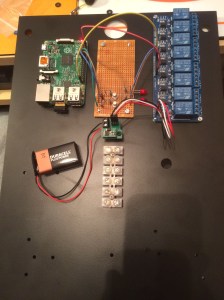
Testing Power-Pi and relay module with BattBorg running off 9V battery

Remote control using RPi

With inclement weather forecast over the Xmas period I was keen to try and implement some form of remote switching of the 144MHz and 1296MHz EME antennas. The antenna feeds terminate in a waterproof cabinet at the base of the mast with a common feeder run back to the shack.

I had in the back of my mind to use a Raspberry Pi (RPi) connected via WiFi to control the relay switching and manage the cabinet environment. The latter being to maintain the inside of the cabinet at a suitable temperature to ensure no damage occurs to the equipment due to condensation.

I already had a “Power-Pi” configured and working. To get the basic antenna switching to work I would need to provide suitable voltages to power the RPi plus relay switching module (5V) and RF relay (~26V).

My son, Kristian (2E0KGG) is home with us for Xmas and he had amongst some of the RPi / computing goodies he brought with him a couple of BattBorg modules. I’d not heard of these before, but they looked just the job for this project. My original plan was to use a spare Dell laptop PSU (19.5V) to power the RF relay and then one or more voltage regulators to drop down to 5V. The BattBorg would now provide the 5V.

My only reservation with all of this was just how much noise (electrical) would be generated, and what impact would all this have on my EME noise floor, especially having it all located right at the base of my antennas.

Everything was put together quickly with each module attached to a backboard which was then installed in the cabinet, in between the rain showers! I took a few screen captures from my SDR setup so I could compare the noise floor and birdies before and after applying power to the cabinet. From the very quick tests done so far, there’s no apparent increase in the number of birdies within the EME section of the band, or to the noise floor! Given all of this was lashed together quickly and is not screened, I was VERY surprised.

I plan to do further tests over the coming days choosing times when most of the TV’s should be off and with the antennas pointing up at the cold sky. With the lower noise floor it should give better indications of the impact of this kit on my EME receive capabilities, plus any impact on other sections of the two bands.

Assuming the results are positive this will all be tidied up and the control hardware housed in a metal die-cast box.

Posted in Blog, Raspberry_Pi, Remote_operation | Leave a comment

Remote_Power_Pi

2015-12-16 18.09.48

Today I picked up a project that I had started at the beginning of the year. It uses the Raspberry Pi (RPi) computer to provide remote control of up to 8 events, each switched by relay. My plan is to use this to control the power and switching of radio equipment located at a remote site. I had already got the basic functionality all working on an early model of the RPi, but that was used on another project.

Things didn’t start well, the image I had saved wouldn’t fit on the new (same size, but different make) Micro SD card I had. Fortunately I found another spare card and that did work. Then the image wouldn’t run on the latest RPi model 2B, so I had to take another RPi out of service to update the image before I could get started on the new hardware. I then ran into a number of other minor configuration problems due to some of the hardware and OS changes. Finally after an hour of messing about, it was all back to how it worked before the project was parked and robbed of bits.

I’m using a Sainsmart 8 relay module and a homemade transistor switching interface (just 2 events at present, on a breadboard) between that and the RPi.  Apache web server with some simple Python is used to display a simple web page with 8 buttons, each button controls an event by switching its associated relay on or off. There can be multiple connections to the web page and each user will have control and see the status of each event. Disconnecting from the web server leaves the events as set.

There’s still further work to be done to ensure that if things go wrong all events fail-safe. Also this model of the RPi is really an overkill, once things are all working this project will most likely be ported to the new Pi Zero.  🙂

Posted in Raspberry_Pi, Remote_operation | Leave a comment

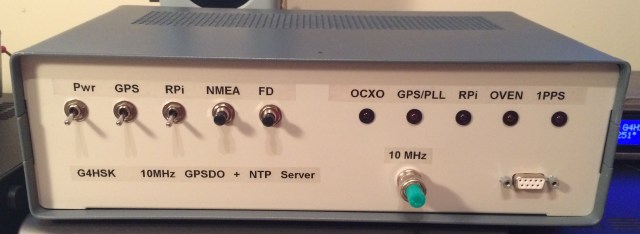
10MHz GPS Disciplined Oscillator and NTP Server

Front panel.

Given that most modern transceivers today are available with a built-in TCXO module I was sceptical about the need to have a 10MHz GPSDO (GPS Disciplined Oscillator) as part of the equipment in my shack. That was until my interest grew in the GHz bands and various digital modes that are available, particularly working QRSS and Moonbounce (EME).

There are various “off the shelf” GPSDO options available today, some new, some based around ex-commercial units or a mix of both. Or, in true Ham spirit, you can source the individual parts and build your own. A search for “10MHz GPSDO” in your favourite search-engine will reveal many of the options available and their associated costs.

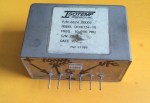
I decided to build my own, to do this I needed a suitable GPS module that had a 10kHz output, a 10MHz OCXO (oven controlled crystal oscillator) with voltage control and a GPS PLL (Phase-Lock Loop) control board. These parts would provide me with a highly accurate 10 MHz frequency standard. This is fine and very useful, but to take full advantage of this standard and to control the accuracy of other pieces of equipment e.g. transceivers, transverters, test equipment etc. multiple 10Mhz outputs are needed. So once the GPSDO was built and working I would need to add an additional distribution amplifier.

Another important requirement when operating digital modes is the accuracy of your PC clock, something I think many operators overlook when I monitor PSK and other modes in use on the HF bands. To ensure accuracy in my own system I had already put together a GPS controlled stratum-1 NTP (Network Time Protocol) server using a Raspberry Pi and an Adafruit Ultimate GPS module. This system used the 1PPS signal from the GPS module. It occurred to me that I could combine both in one unit, so the end result would be a highly accurate time and frequency standard.

So this all developed into a three part project:

  1. Basic GPSDO with single 10MHz output.
  2. The addition of a 4 port distribution amplifier.
  3. To use the 1PPS and Raspberry Pi as an NTP server.

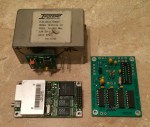
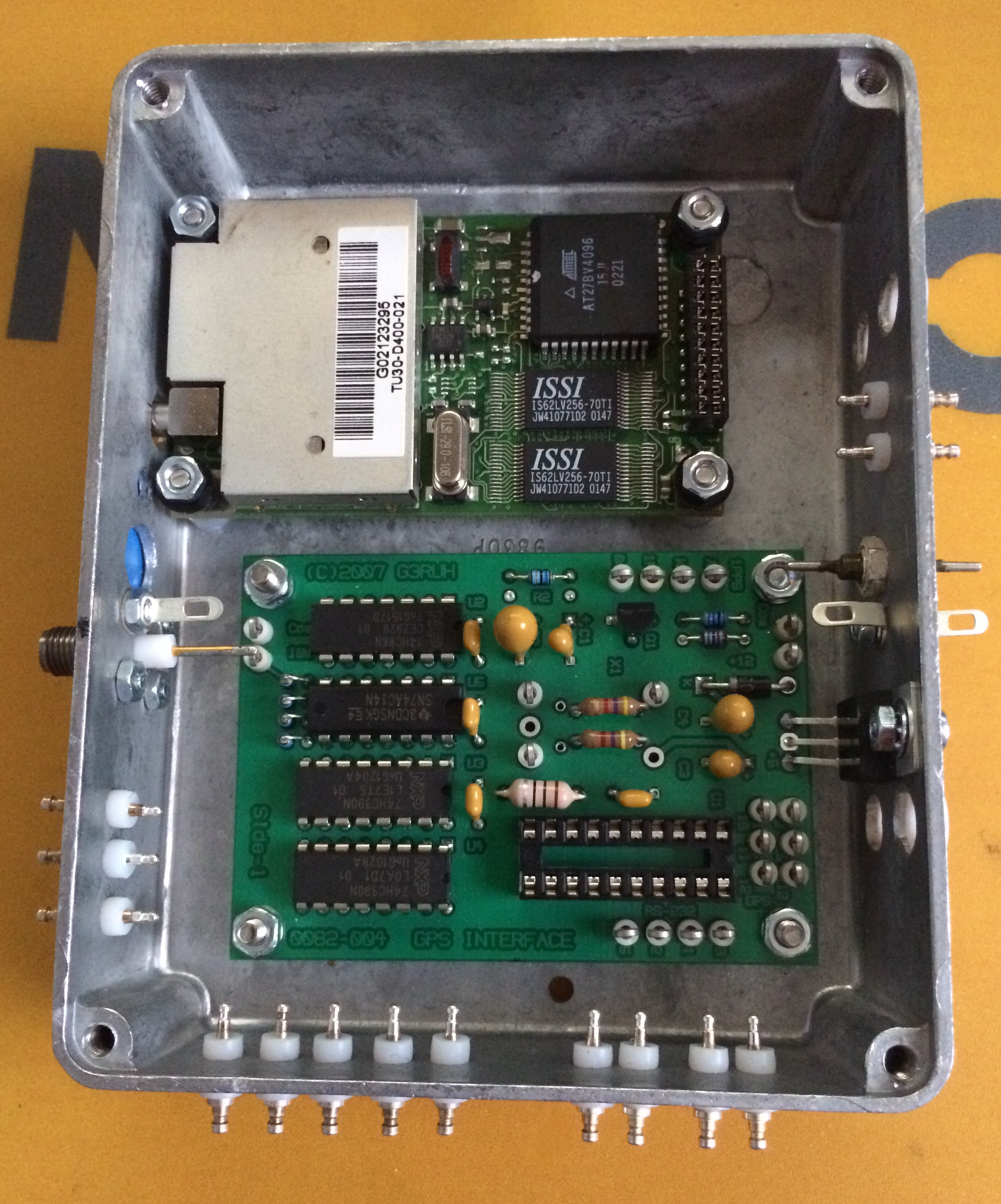
I was very fortunate to have found a new unused Navman TU30 GPS module on eBay; this had the required 10kHz and 1PPS outputs. My first attempt at getting a 10MHz OCXO unfortunately did not work out well, the Morion MV89a had a faulty output capacitor (which I fixed) and a fault with one (or possibly both) oven control circuits… it just kept on cooking. My second purchase, an Isotemp 134-10 OCXO worked out well, the unit was ex-equipment but fully functional. They were the two key parts, and probably the most difficult to source.

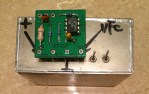
There are many different GPS PLL control designs to be found on the Internet. I decided to build the Simple GPS Stabilised 10MHz Oscillator” published by James Miller, G3RUH and purchased the two printed circuit boards from James. The reason for two boards is that the Isotemp OCXO requires a higher control voltage (0-8V) so a small add-on board with DC amplifier provides a gain of 1.6 x the standard 0-5V provided by the main PLL board.

The following photos show the various parts.

Construction and testing:

The completion of the main PLL board and small DC amplifier board was straight forward. If you’re using an Isotemp OCXO and the add-on board it pays to read the documentation for both boards before you start, as a couple of components are not needed on the main board when using both boards… needless to say I had a couple of components to remove!

As with most of my projects, I chose to use a diecast box to house the GPS and PLL board.
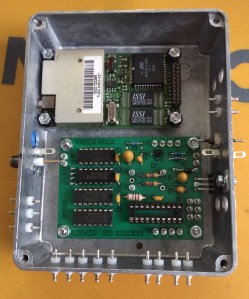
GPS and PLL board enclosure

GPS and PLL board enclosure


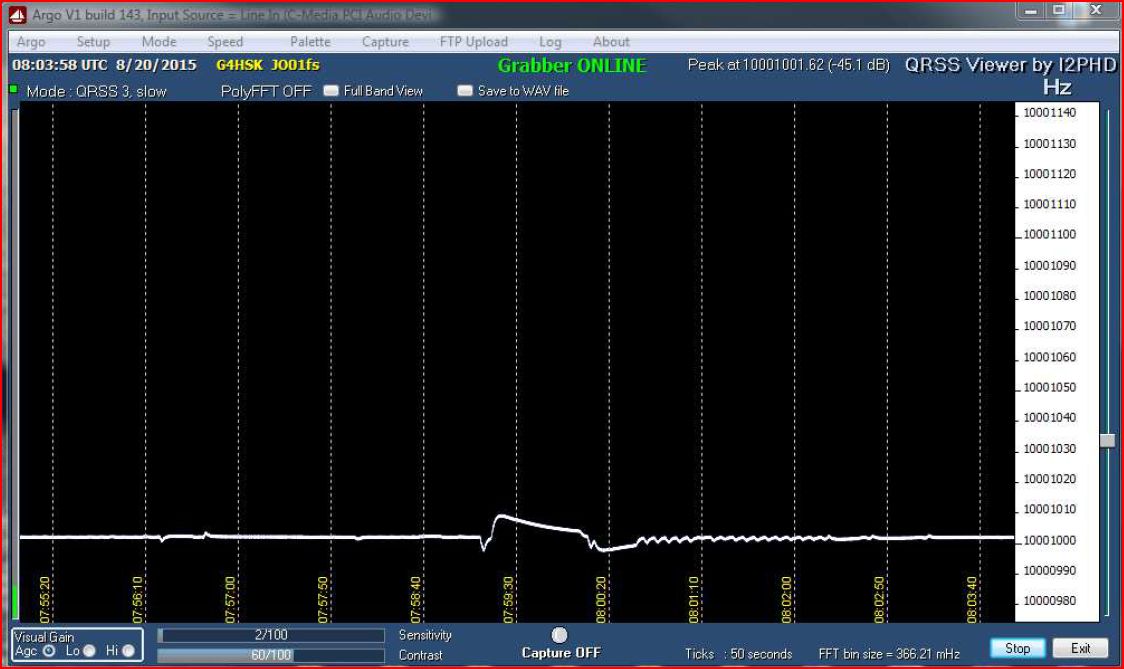
Everything went together fine; I tuned the K3 to 10MHz and used Argo to monitor the output and on first switch-on I could see the 10MHz output and everything looked good, the oven control voltage showed that to be working okay, I could see the 1PPS LED flashing away the frequency lock-on to 10MHz precisely. However, after a few minutes of what appeared to be a “rock steady” output there were a couple of odd “ticks”, these repeated several times and then the frequency would wander up and down and then eventually steady itself! The next photo shows what was happening.
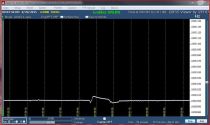
GPSDO Odd ticks and frequency jumps

Odd ticks and frequency jumps

At this point I could not read the serial data from the GPS unit so I was uncertain if it was a problem with the GPS unit itself or maybe it was “deaf” and not always “seeing” sufficient satellites. I had also read that early versions of the firmware on some GPS units meant that the units suffered substantial frequency jumps every 30 seconds or so. The GPS I bought had nothing to indicate the firmware revision so I was rather concerned that it might not be suitable. The first thing I needed to do was to be able to understand what the GPS was doing.

I struggled for some time to find some suitable free software that would work with the GPS and run under Windows. Eventually I found a program called GPSMonitor and once I’d worked out how to swap the serial output from Binary to NMEA I was able to confirm that the GPS unit was receiving okay but it appeared to stop working at times. As the GPS antenna was also NOS, I was uncertain how well it was working, plus it only had a very short lead which meant it wasn’t ideally sited. So I ordered a replacement active antenna which meant that I could position it in the clear so it had a better view of the sky.

After sharing my results with Ted, G4ELM and Colin, G6AVK and spending a lot of time troubleshooting this strange behaviour I eventually found a document on James’s web site, that described some GPS units as having a “power saving mode”. This mode not only switches the radio parts of the GPS unit off for up to 80% each 5s period but also the 1PPS and 10kHz get switched off! That had to be it… especially as the GPS unit I was using was a +3.3v operation, low power consumption unit and it wasn’t moving  😉

A quick study of the TU30-D400 Series Data Sheet described how to start the GPS in factory default mode without any of the settings stored in the EEPROM. Fortunately that also meant the power saving was off. Working this way the GPSDO worked as expected without any “ticks” or it wandering off frequency.

This slideshow requires JavaScript.

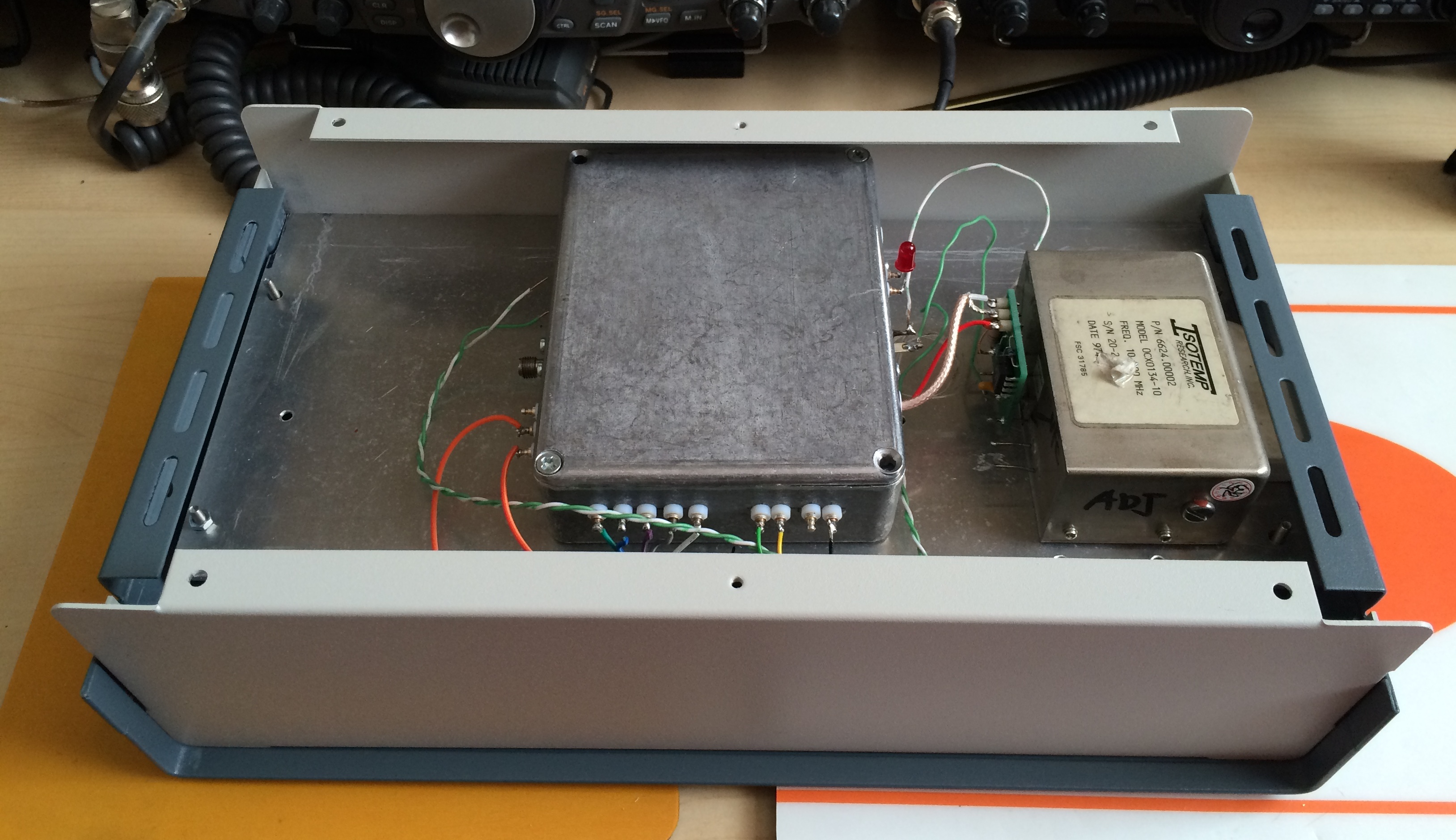
I now had a working 10MHz GPSDO. To complete the first part of this project I need to fit the parts in an enclosure that would also accomodate the 4-port distribution amplifier and a Raspberry Pi NTP server.
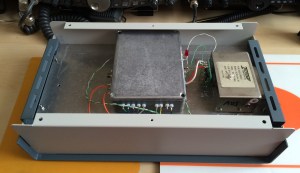
Working out how it will all fit together.

Working out how it will all fit together.

When I built my Anglian 2m transverter I deliberately chose a slightly larger size enclosure than what was really needed. Then if I was to end up with the inevitable “transverter stack”, one size should fit all, and hopefully there would be space available to cover any special requirements for a particular band etc. This is how it all went together:


This slideshow requires JavaScript.

Thanks to Ted, G4ELM who had amongst his many boxes of radio “stuff”, a complete kit of parts to build a DEMI 4-port distribution amplifier; my project was soon sporting this completed board housed in another die-cast box.

The DEMI kit went together without any major grief, although I did choose to build it late one evening after work, so tired eyes meant that some of my SMD soldering could have been better! When it came to testing the outputs, it was a slightly different story. One of the four ports was 50% down on output level. Doing various checks / tests could not pin-point what was wrong; replacing the MMIC did not resolve the problem. So eventually the filter components were replaced one by one and it turned out to be a faulty / incorrect value capacitor!

The next part of this project was to use the 1PPS output from the Navman GPS unit and a Raspberry Pi to provide a NTP server that would provide an accurate time source for  any shack PC. Something that’s key to successful Digimode operation. There are many write-ups available on the Internet describing how to configure a Raspberry Pi to provide this time service. I plan to summarise my build as a separate project in the future. The key thing at this time is to note that the two devices both interface together without any problems.

At this point the project does what I set out to achieve; I have an excellent frequency and time standard available for use in the shack.

The 10Mhz reference is currently being used with my SG-Lab TR1300 23cms transverter and as soon as I have the ZLPLL board it will be used to GPS-lock my 2m Anglian transverter.

I tend to leave the unit running for extended periods, typically days on end. From a cold start, i.e. power on it takes approximately 15 minutes for the GPSDO to be locked to satellites, the oven up to tempersture and the PLL locked.

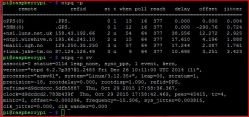
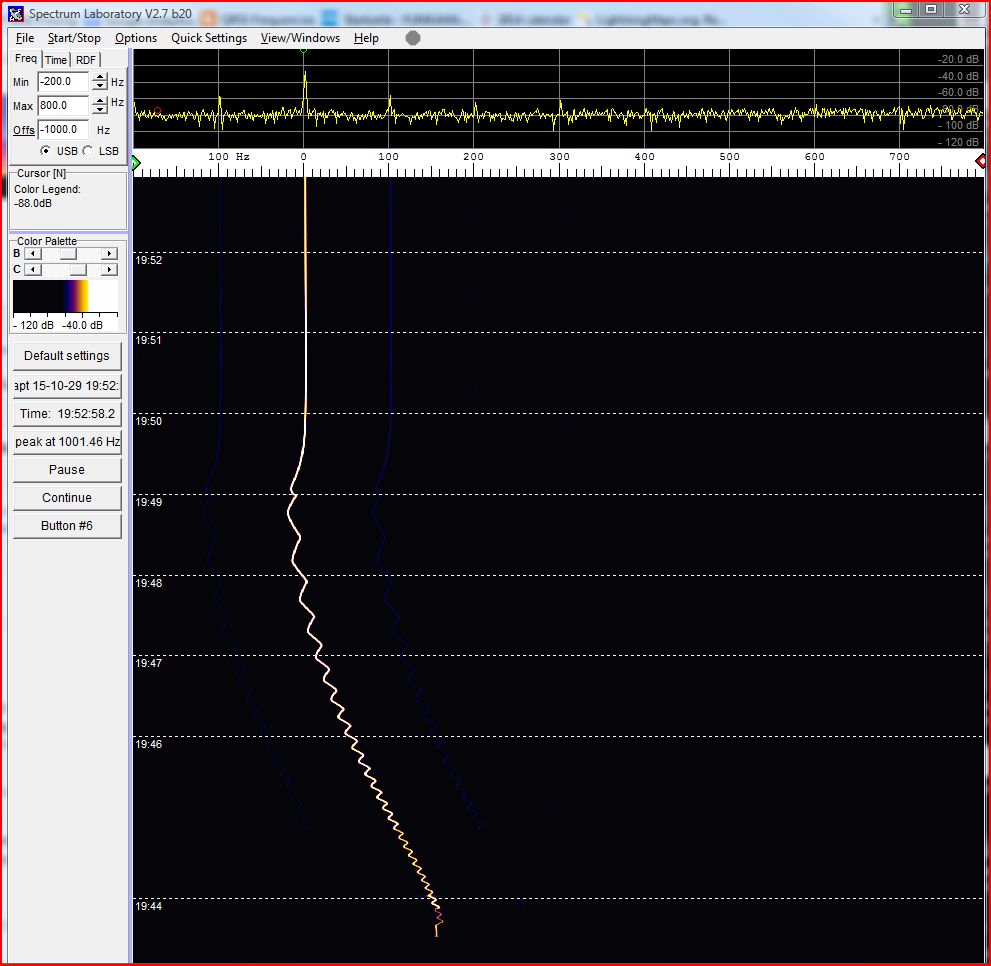
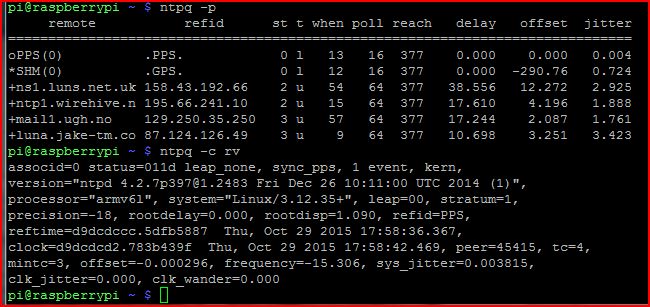
The following two screen grabs show the OCXO at start-up and the frequency “lock-in” and the Raspberry Pi Time service.
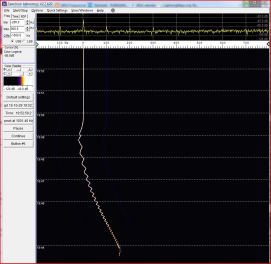
GPSDO + NTP startup 2015-10-29

GPS / PLL “lock-up”

GPSDO + NTP 2015-10-29

Raspberry Pi time service


What’s next:

  • To implement a visual means (LED) to indicate “Lock” state.
  • To add an LED to indicate when the OCXO oven reaches temperature.

Acknowledgements:

  • J R Miller, G3RUH for his  design and PCB’s.
  • Ted, G4ELM, Colin, G6AVK and Roger, G4NRG for their help and support.


Posted in Arduino, Blog | Leave a comment

23cms VLNA

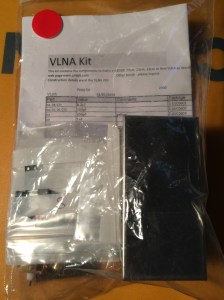
2015-12-05 15.44.49Thanks to Colin, G6AVK  who did the ordering, I now have my DDK 23cms VLNA kit.  🙂

Apart from building it, the next step is to source some suitable relays.

Posted in 23cms, GHz_Bands | Comments Off on 23cms VLNA

ZLPLL

I built my 2m transverter with the intention of using it primarily for EME (JT65), driving either my 2m PA or at some point in the future as the IF for one or more microwave transverters.

To ensure that I was actually operating on the frequency I was tuned to and my received traces were not drifting across the screen during extended transmit periods, I wanted to lock the 116MHz local oscillator (LO) to a GPS-disciplined oscillator (GPSDO). At the time I built the transverter I had no means of doing this so I simply added a Murata Posistor crystal heater. Calibration was carried out using GB3VHF and this gave perfectly acceptable results running JT65B on 2m.

With my interests also moving towards the GHz bands, I built a 10MHz GPSDO and obtained a SG-Lab TR1300 23cms transverter. The TR1300 (V2.3) is capable of accepting a 10MHz reference to lock the LO and I was soon using the Anglian transverter as the IF to the TR2300. I did some extended WSPR tests on 23cms and with its long transmit periods and occasional back to back transmissions it proved to be an excellent stress test for my system.  The tests showed that my WSPR transmissions were not running nice and straight; the extended WSPR transmit periods were highlighting some slight drift on the 2m side. I had not seen this before running JT65b.

I ordered the ZLPLL board from Wayne, ZL2BKC and specified that I intended to use it with the Anglian transverter. Wayne configured it for 116MHz and provided a very quick turnaround with excellent communication, advising on shipment details, ETA and answers to my question on the 10MHz reference signal level. The board arrived very quickly, 7 days door to door  🙂

I chose to put the ZLPLL board in a screened box with an additional regulator to drop the 13.8V down to 9V. This fitted nicely inside the transverter case.

This slideshow requires JavaScript.


The 2m and 23cms setup is now locked to my 10MHz GPSDO and stress testing shows a very nice series of straight traces  🙂


Acknowledgements:

Wayne, ZL2BKC for his excellent ZLPLL board and customer service.


Posted in 23cms, 2M, 3cms, Anglian TVTR, Blog, EME, GHz_Bands, QRSS / WSPR / QRP | Leave a comment

LDF5-50 based Magnetic Loop Antenna

Having had great success with a loop made using LDF4-50 Heliax and the much smaller 24″ diameter bicycle wheel rim loop I decided to try making a larger loop that would work on the 17m, 20m and 30m bands and also ideally on 40m.

The 40m band was the real challenge given the size of the loop (115cms diameter), ideally the diameter needed to be larger but any bigger and I would not be able to transport it in the back of my car and use it  for /P operation away from home.

Construction:

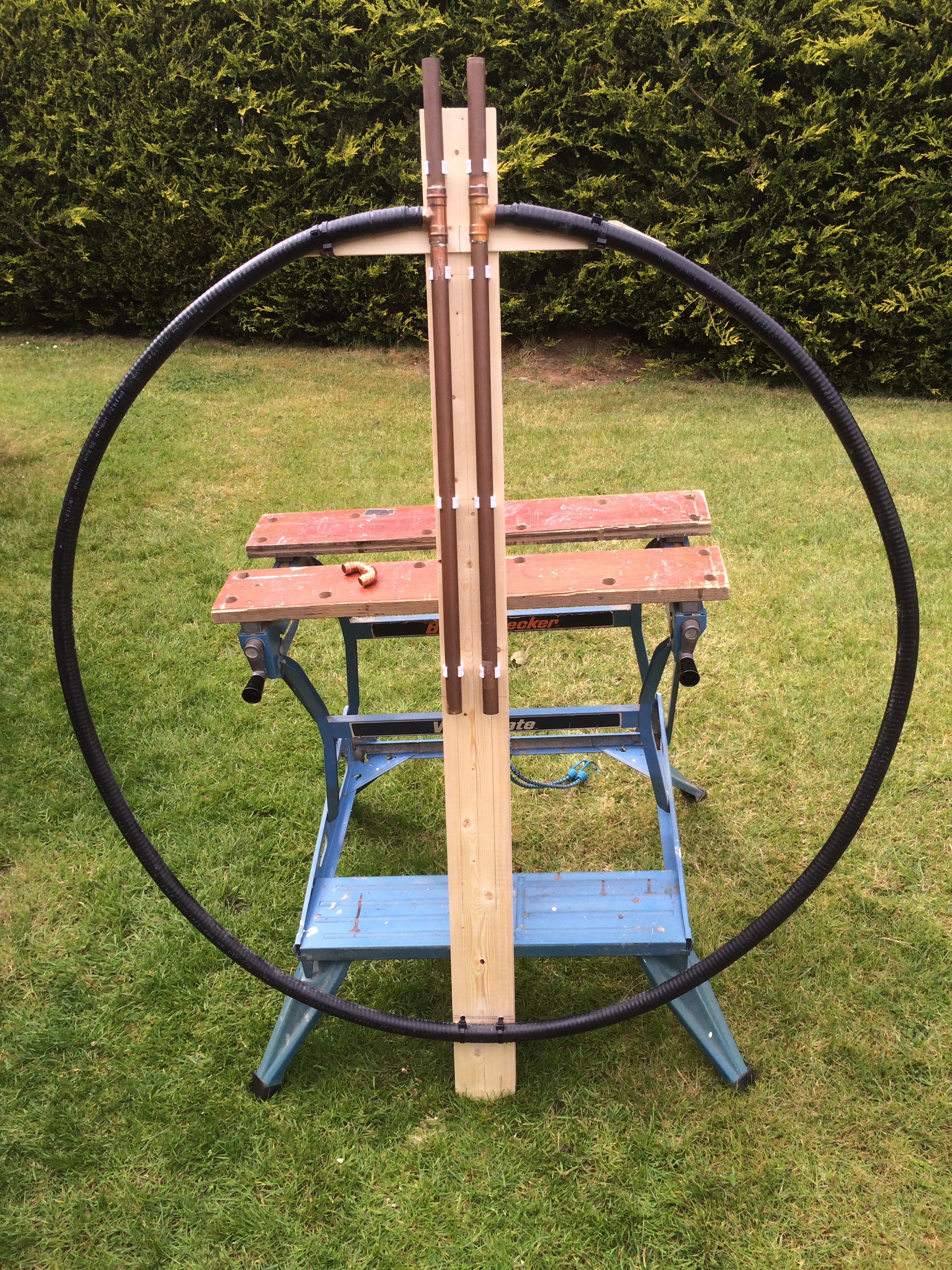
Fortunately I had an off-cut (!) of LDF5-50 available plus some odd lengths of standard 22mm and 15mm copper tube. These items plus some other standard home plumbing bits and pieces would form the loop and a trombone-style tuning capacitor.

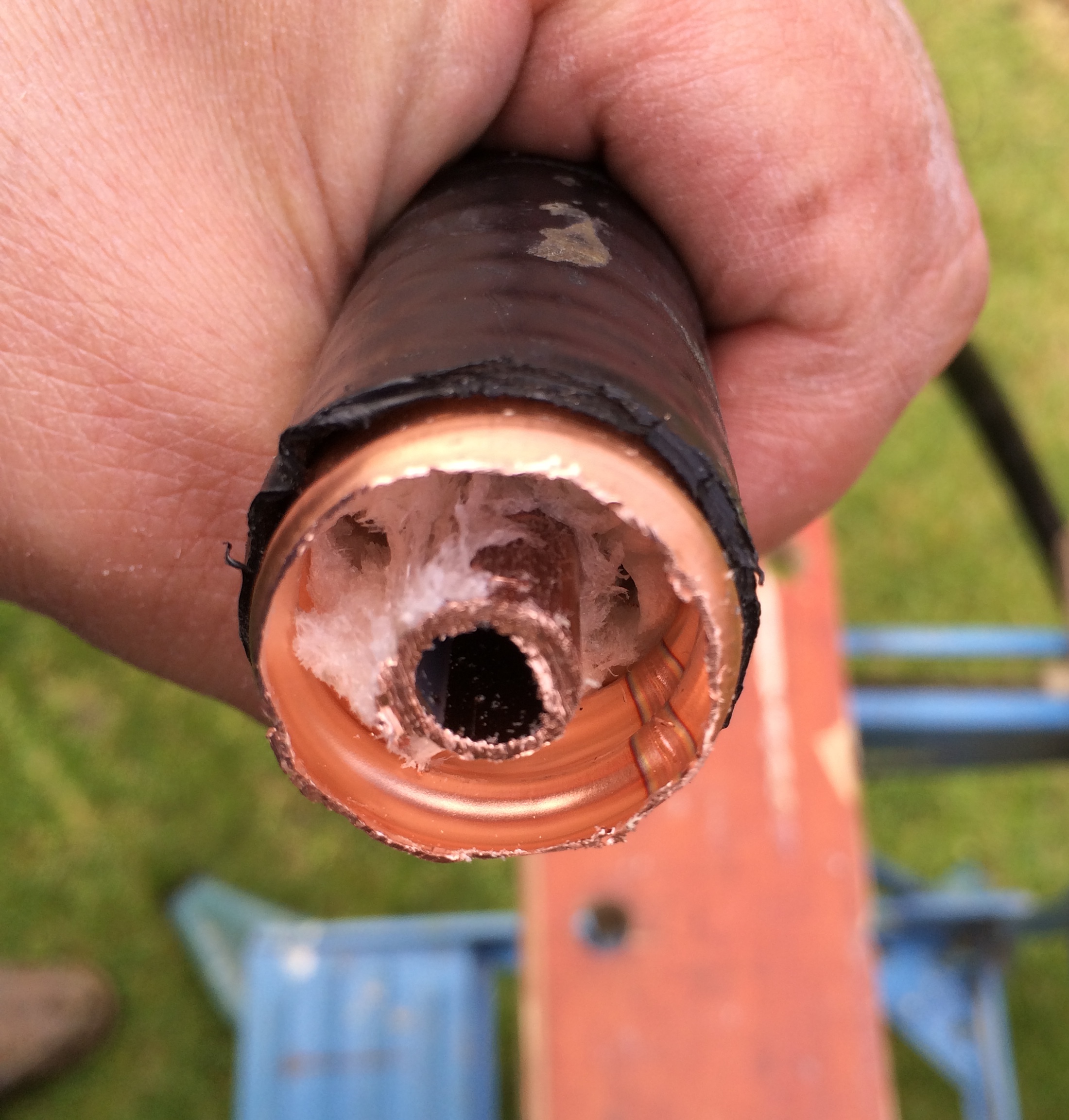
One of the key things with magnetic loop construction is to ensure that you have the minimum number of joints, and where they are necessary, they need to be good both physically and electrically. My first challenge was how to join the ends of the LDF5-50 to the 22mm tubing that was going to form part of the capacitor. I found that with some effort, and great care not to suffer any injury, it was possible to fit a short length of 22mm diameter copper tube inside the corrugated copper conductor of the LDF5-50.  This meant that a standard copper T piece could then be used to attach the end of the loop to the 22mm tube that would be used to form the tuning capacitor.

The following photos show the end of the LDF5-50 with the foam insulation removed / compressed sufficiently to accommodate a short length of 22mm tube and finally how the T piece would attach.


2015-05-02 15.11.53         2015-05-02 15.18.562015-05-02 15.06.35

To form the trombone capacitor I cut 4 lengths of 22mm copper tube, 2 were 175mm long, they were to be the upward pointing tubes and the other 2 were 650mm long. In an ideal world I would have calculated the theoretical capacitance of such a trombone arrangement but as in most of my loop projects this was going to be another “suck it and see” experiment. I cleaned up the ends of the copper tube and using an old piece of wood and some metal pipe clamps to hold things in place I carefully shaped the loop so that the ends aligned with the centre of the T-pieces and the two sections of the trombone were spaced correctly and parrallel. Once I was happy with the alignment, using a home DIY plumbing gas torch I soldered the pieces together. When things had cooled I checked that the solder had flowed and all the joints were sound. The ends of the Heliax were then covered with some self-amalgamating tape followed by insulating tape. Then the loop was fixed to a new wooden support using plastic pipe clamps and cable-ties as shown below.

2015-05-04 15.35.12

The next step was to fit the plastic tube and make the “U-shaped” trombone that would slide inside the the two parallel tubes. The insulating material was 20mm diameter plastic water pipe. This formed a nice tight fit inside the 22mm copper tube. The internal diameter was approximately 17mm which meant that the 15mm copper tube was a very loose fit.

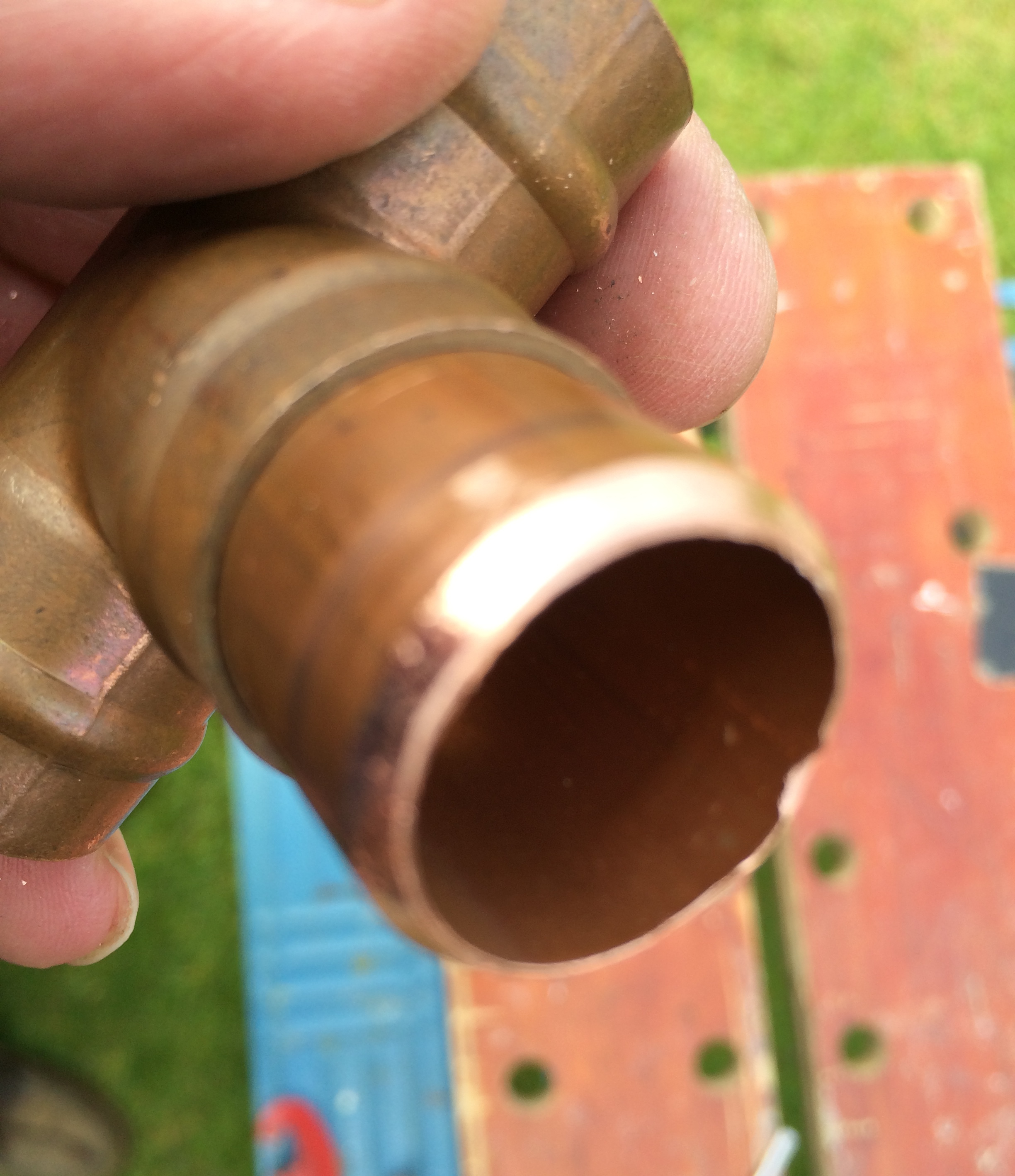
After some head-scratching and searching of my plumbing spares box I realised that with care the ends of an in-line 15mm solder-ring joint could be used to form a sleeve on the outer end of the plastic tube and with a 15mm olive glued on the end of the 15mm trombone tube it would make for a nice tight action with the tubes running nice and parallel. The following photo shows the end of the 15mm solder-ring fitting that was carefully cut just at the inside edge of the solder ring; epoxy glue was used to stick it to the plastic tube.


2015-05-08 10.54.26

I was now at the point where the main loop was complete, all that was needed now was the coupling loop and some basic receive tests could be done.

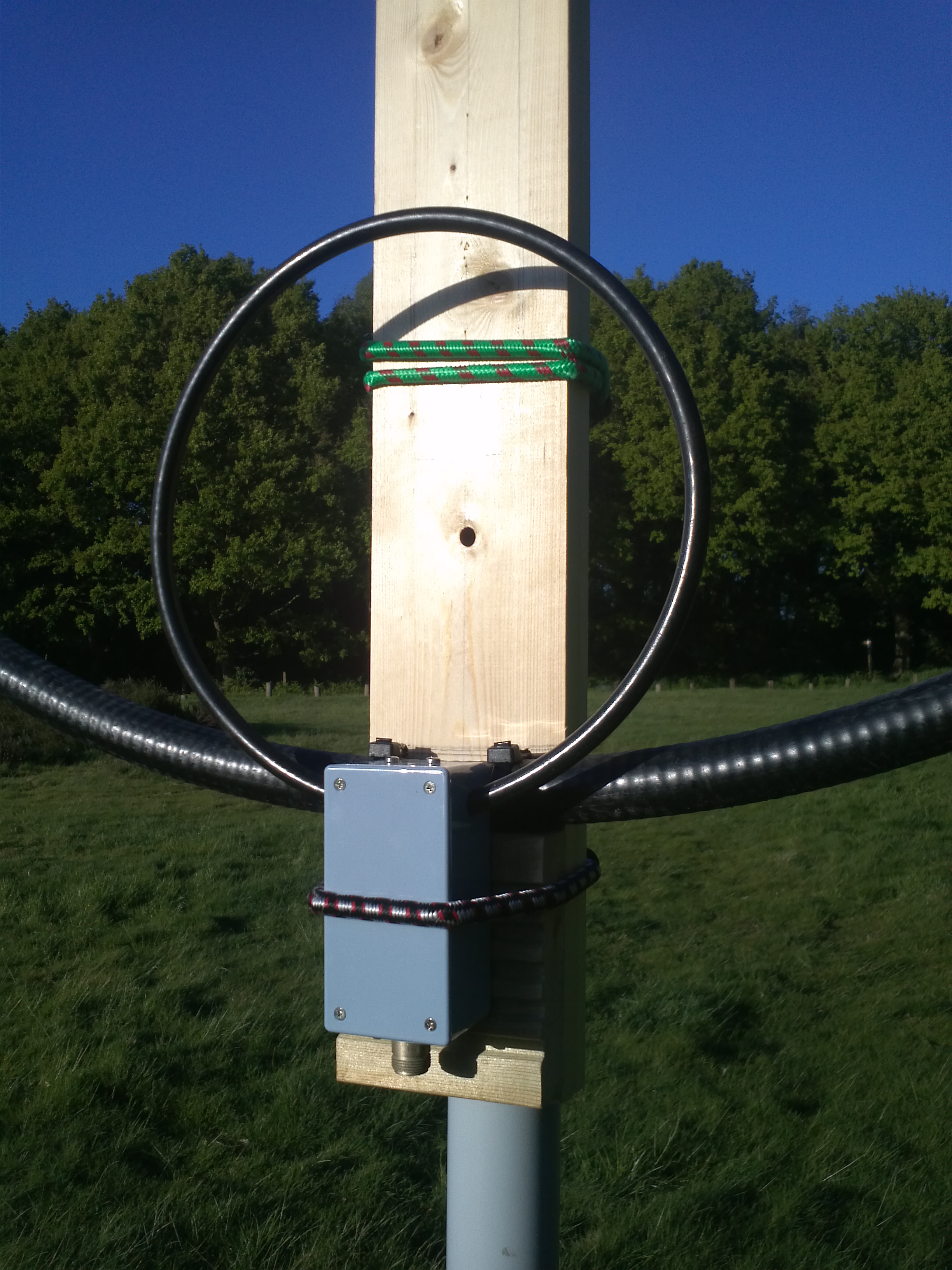
The coupling loop was made from Westflex 103 coax with the centre, foil and braid all soldered together at each end and formed into a loop that was 1/5th of the diameter of the main loop. A simple 1:1 homemade balun was used to feed the coupling loop.

The initial tests confirmed that the loop would tune 17m and 20m but my goal of 40m was a long way off. It was evident that I needed a lot more capacitance if the loop was to tune on 40m. I couldn’t extend the trombone any more, in fact it was questionable as to whether the already “long” tubes extending inside the main loop might have some adverse effect on the whole setup. I remembered that I had some high-voltage RF type capacitors in my junk box that could possibly help here. Searching on the Internet I found an extremely useful site that had an on-line Magnetic Loop calculator, something I had not come across before when I constructed my previous loops. Entering the dimensions of my new loop and the intended operating frequency and power levels I soon had some very interesting data to consider including the capacitance needed to tune the loop.

Here are the calculated results for 40, 20 and 17m (running 10W).


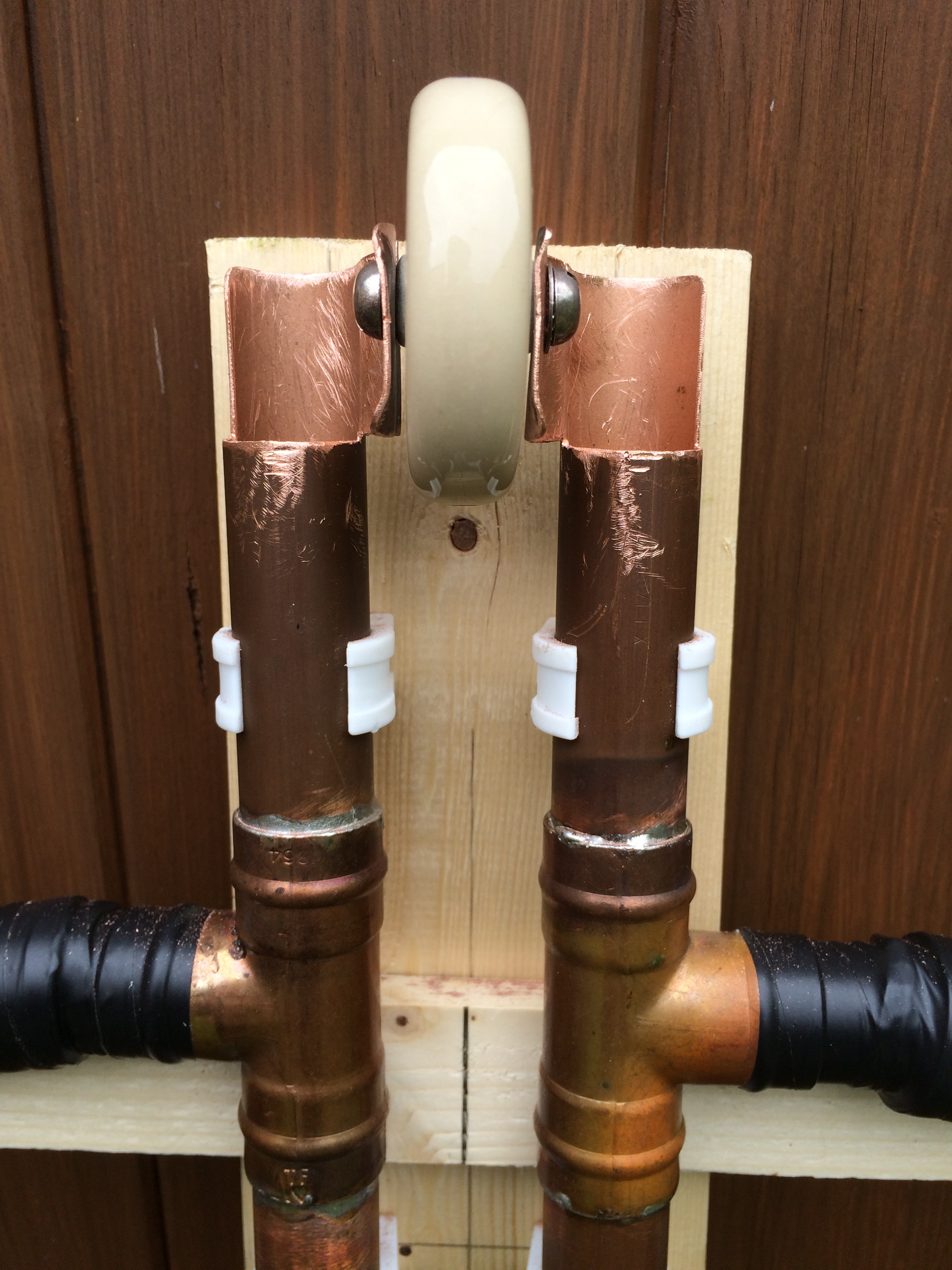
I decided that I needed to shorten the trombone and in some way be able to add additional capacitance if needed. After some work with a hack-saw, pliers, file and drill the following arrangement was formed.

2015-05-08 10.54.13

The slot allows for a 120Pf 5KV working disc capacitor to be fixed in place to allow operation on 40m. Changing this to a similar 57Pf capacitor allows operation on 30m and without a fixed capacitor the loop will tune on 20m and 17m.

40m operation

As my main interest was 40m this write-up will focus on that band. With the 120PF capacitor in-place the trombone would easily tune the loop from 7.000 <> 7.200 MHz. The trombone needed to be moved a distance of 70mm to tune the 200KHz span. With the help of Charlie, M0PZT and his MFJ-259 antenna analyser I was able to very quickly optimise the position of the coupling loop and mark-up a length of masking tape to give a reasonably accurate tuning scale.

The following photos show details of the tuning scale, coupling loop and MFJ readings.

2015-05-12 18.50.27


2015-05-12 18.52.08


2015-05-09 15.57.36

The online loop calculator stated that ideally the loop needed to be larger but as I wrote earlier, any bigger and it would not fit in my car, as a result the expected efficiency was calculated to be somewhere in the region of 22%. At this point everything seemed to suggest that the loop should work, the MFJ results looked good, receive was working well but we all know that it’s how well it radiates in practice that counts…

Would this work in practice?

Yes, rather well it would seem. At the time of writing, I have used the loop on two occasions, both on 40m. My first QSO was with the loop in the garden close to the garage wall, a very quick call resulted in a 57 from a station in Norfolk, I was running 10W and he was running 200W to a dipole . The second occasion was with the loop positioned in the clear, running portable with my trusted IC-735 and with power levels of between 50 <> 100W. On a noisy band around 19:00 UTC with lots of European QRM and conditions described as “Meh” by M0PZT, I was able to work into I, HB9, GM and GI. I was able to set the tuning reasonably well “by eye” using the tuning scale, the trombone capacitor was happy with the 100W power level and there was approximately a +/- 4KHz movement in frequency before the SWR exceeded 2:1. So all in all I was very pleased with the initial results.

2015-05-12 19.48.41


What’s next?

  1. To run further tests on 40m and compare the loop with a full-size 40 dipole.
  2. To test the loop on the other bands (30m, 20m and 17m).
  3. Weather-proof the fixed capacitor and trombone
  4. Investigate how to auto-tune the loop.
  5. Construct another LDF4-50 loop using butterfly-capacitor 


WARNING:  Because of the very high Q, some capacitors can arc over at power levels as low as 5 watts. Remember also that even with only a few watts of RF power, magnetic loop antennas produce very high voltages across the capacitor(s) and can cause nasty RF burns if touched while transmitting. Care must be taken not to touch the loop when transmitting and to keep a safe distance from the antenna.


Posted in Blog, Magnetic Loops | Leave a comment